Liquid Glass
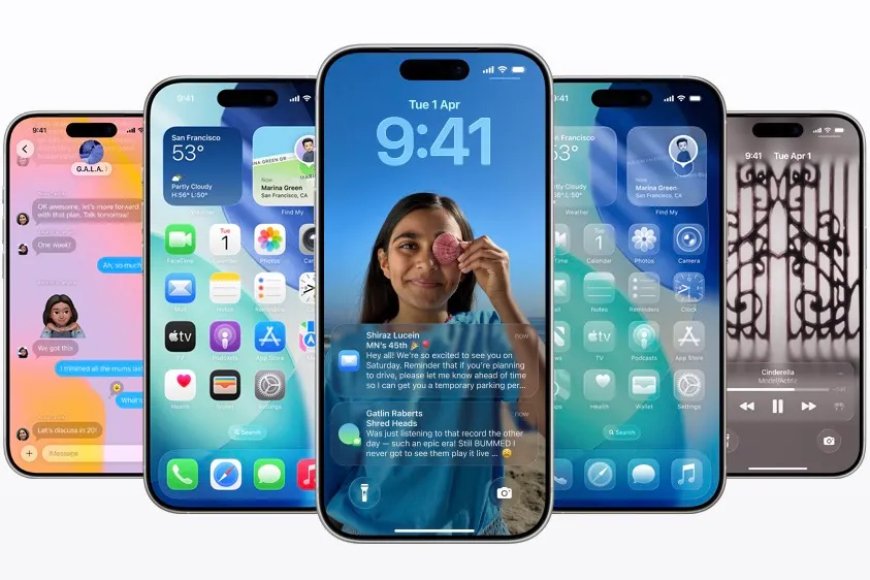
Apple’s iOS 26 software update for iPhones is available Monday to people who have an iPhone 11, iPhone SE 2, and later. iOS 26’s marquee feature is Apple’s Liquid Glass design, which includes elements on screen that resemble a “glassy” look. Other features include a call screening assistant, a new gaming and preview app, in-app translation across the system, and updates to Genmoji and Image Playground apps.
The operating system update also went through a big numerical change as Apple jumped from iOS 18 to iOS 26 for two key reasons. First, it wanted to bring all operating systems — iOS, iPadOS, macOS, watchOS, tvOS, and VisionOS — in sync. Second, it aimed to reflect the year number in which the majority of users will use this update.
Liquid Glass
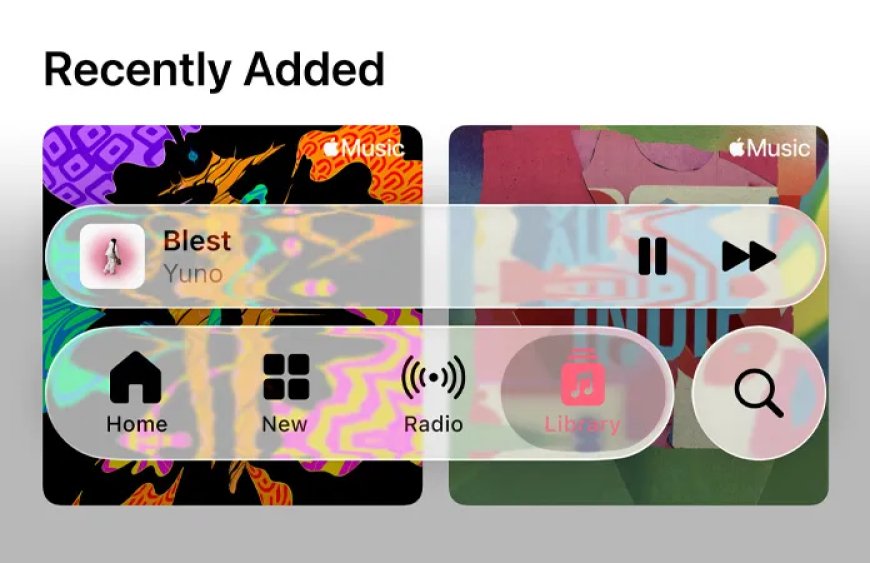
The Liquid Glass design has been the most significant visual overhaul for iOS in years. Apple’s intention with this redesign was to take inspiration from the Vision Pro interface and apply it to all of its operating systems. The elements are meant to look translucent like glass, resulting in challenges regarding readability and how elements in the background appear.
Since June, Apple has made changes to how “glassy” the interface looks multiple times through beta releases. While the company is releasing the stable version of iOS 26 today, we might expect visual tweaks for improved readability and usability in the coming months. This visual change might take a bit of time for users to adjust, and they might not like certain elements right away.
Apple apps
iOS 26 Brings a Unified Phone App and Advanced Call Screening
The Phone app in iOS 26 has a new unified look where your favorites are displayed at the top in a card format, with recents and voicemails on the same screen. You can tap the filter button on the top right to view these sections individually. If you don’t like the new interface, Apple also gives you the option to switch to the classic look.
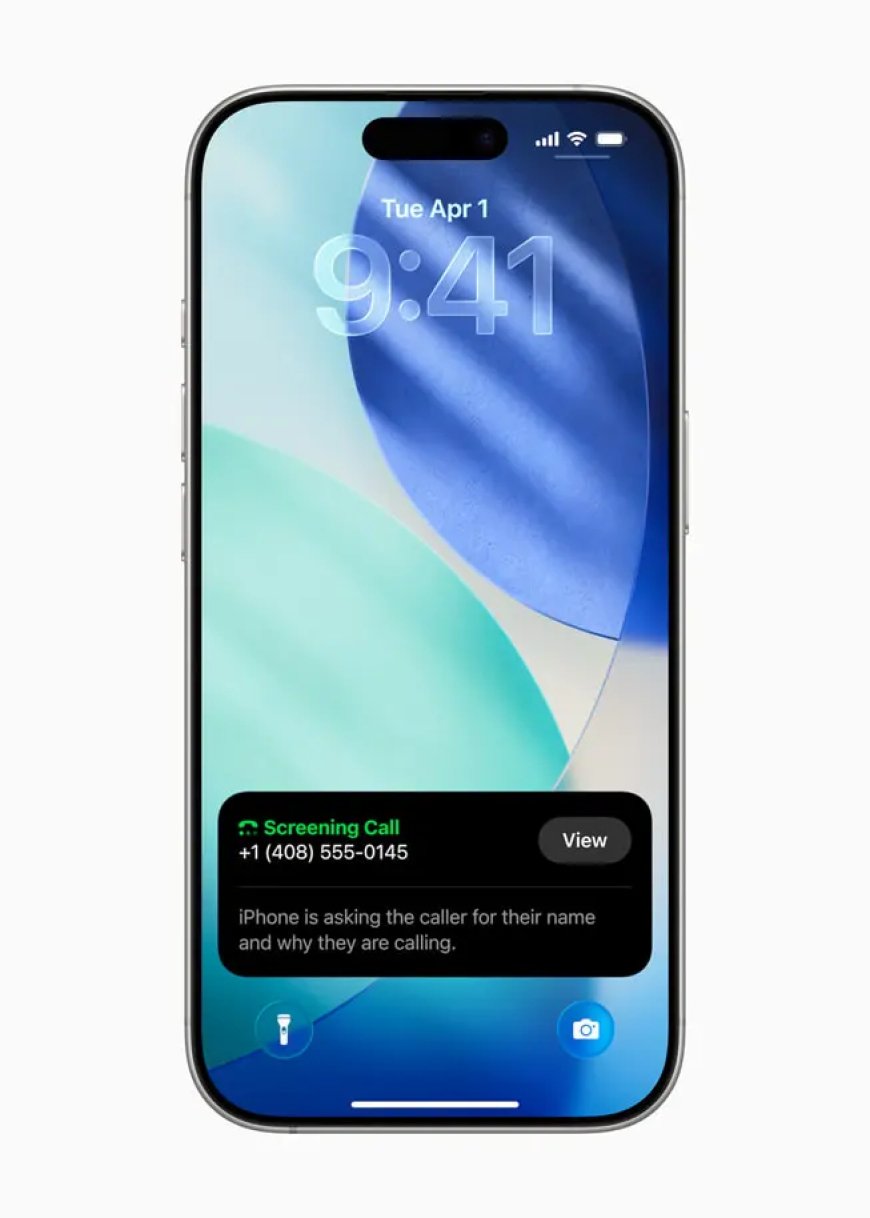
iOS 26 also introduces a call screening feature for iPhones, which has become a personal favorite. When an unknown number calls, the system asks for their name and the purpose of the call. Once they provide this information, the system invokes the ringer and notifies you of the call. You can review the conversation and interject at any time. While transcription of voicemail doesn’t work perfectly for all languages, call screening has helped reduce the number of calls users need to pick up manually.
There’s also a holding assist for when a restaurant or a helpline places you on hold; you can use call assist to notify when an agent starts talking again.The Messages app is getting to feature party with other chat apps like WhatsApp and Telegram with backgrounds, new conversation flow, polls, text selection, photo previews, and typing indicators in groups. Apple has been working on SMS filtering for a few years now. The company said it updated its spam filtering with this release. Plus, it places messages from unknown senders in a new folder. One thing I didn’t like about this update is that it takes me a couple of taps to go to the transactions tab.
Messages App
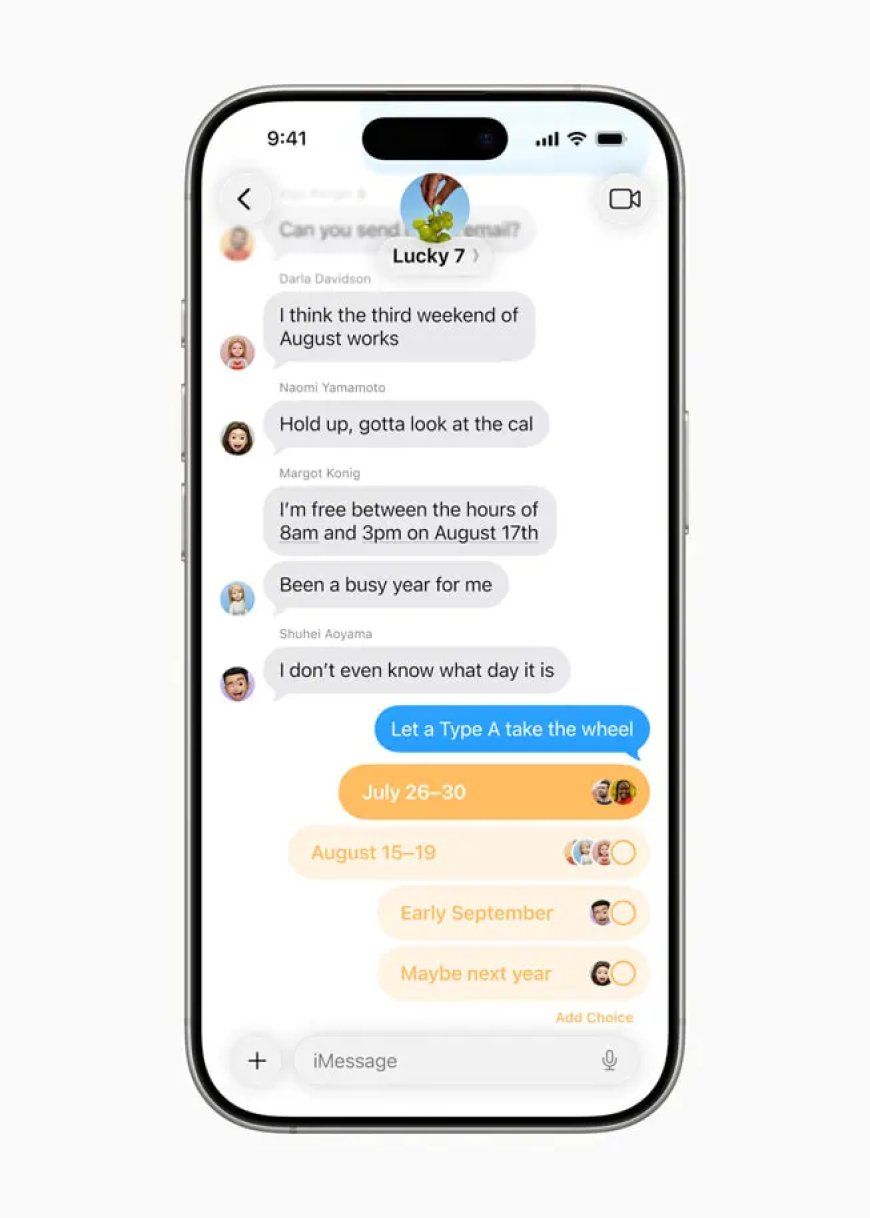
The Messages app is getting to feature party with other chat apps like WhatsApp and Telegram with backgrounds, new conversation flow, polls, text selection, photo previews, and typing indicators in groups. Apple has been working on SMS filtering for a few years now. The company said it updated its spam filtering with this release. Plus, it places messages from unknown senders in a new folder. One thing I didn’t like about this update is that it takes me a couple of taps to go to the transactions tab.
Games App
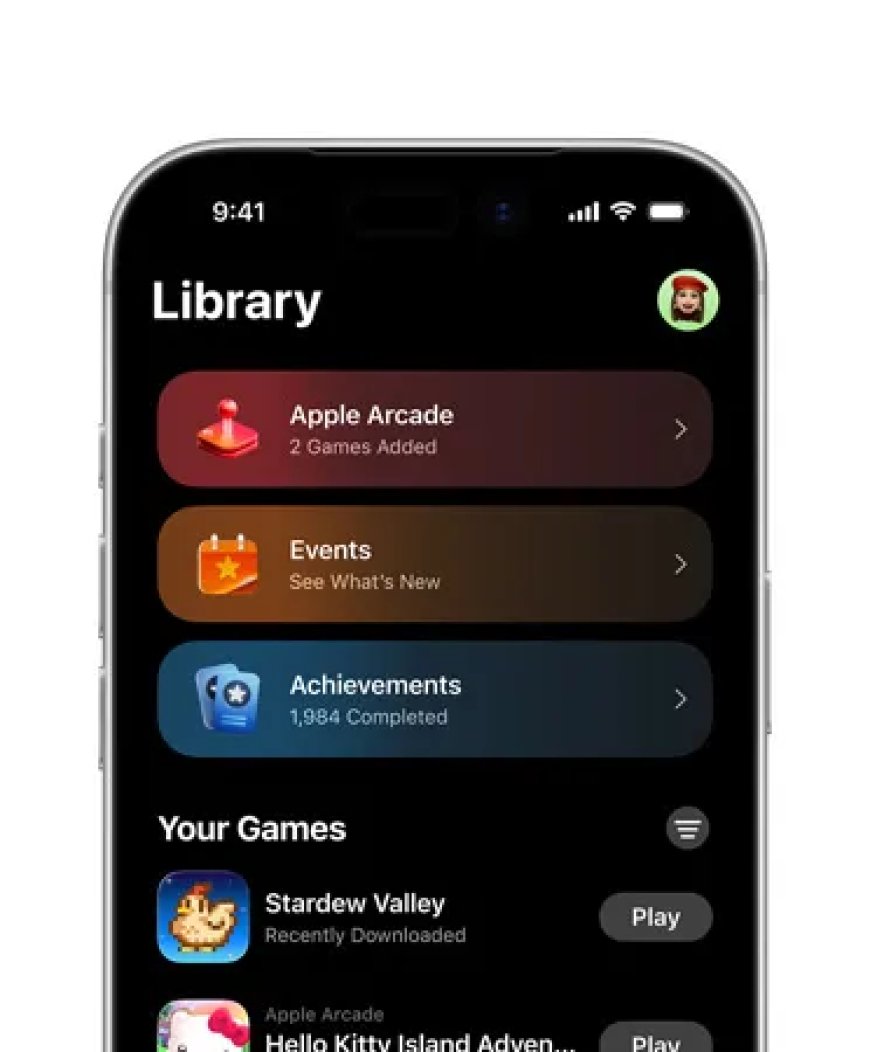
The games app overhaul means that you can look at the games you are playing (or have played), arcade games, challenges, and achievements in one place, along with suggestions for new titles. The app also shows you what your friends are playing.
Apple finally added Mac’s Preview app to iOS 26, which means you can edit, annotate, and sign PDFs more easily.
Meanwhile, Apple Music now has automixing for dynamic song switching, along with lyrics translation and pronunciation. What’s more, you can pin your favorite songs and playlists.
iOS 26
With iOS 26, Apple Maps lets you define preferred routes while commuting. In case your choice of route has more traffic or any incidents, Maps sends you a notification along with suggesting alternative routes. The app also lets you easily view visited places through a new places library.
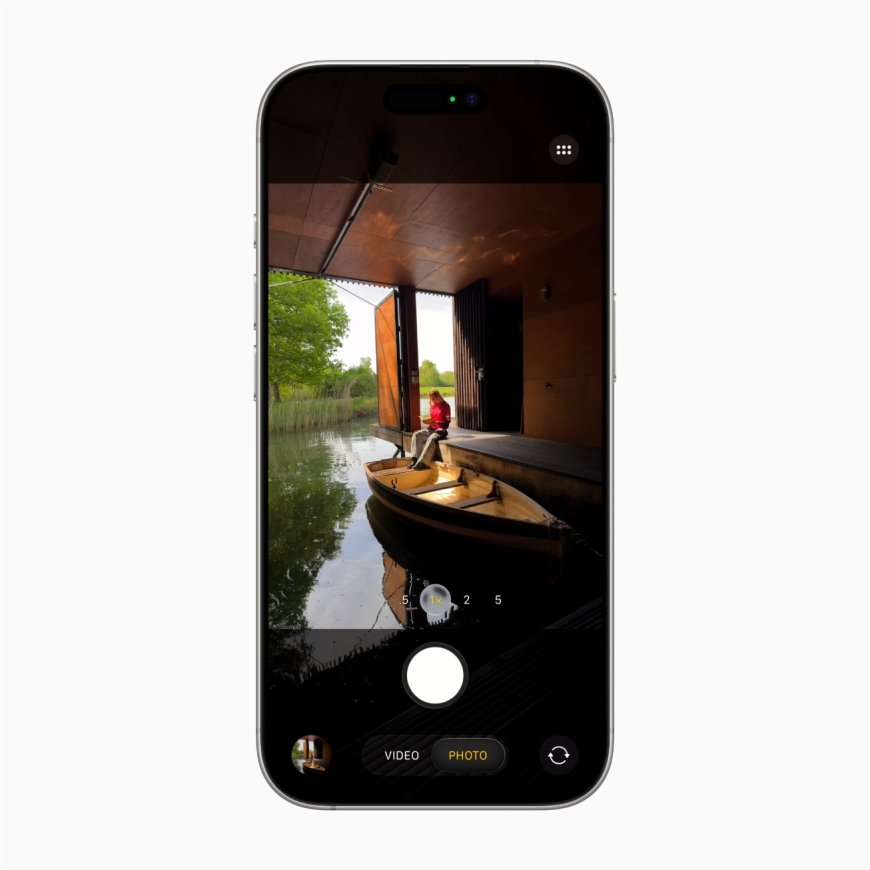
The Camera app in iOS 26 adopts the Liquid Glass design with only Video and Photo options visible by default. You can scroll to the left or right to switch between different modes. Apple has placed some controls like Flash and Night mode on the top right, and you can switch them on/off with one touch. For more options like filters, styles, exposure controls, and timer, you can swipe up from the bottom of the screen.
If you didn’t like the previous Photos app design, the tabs are back in this version.
AI features
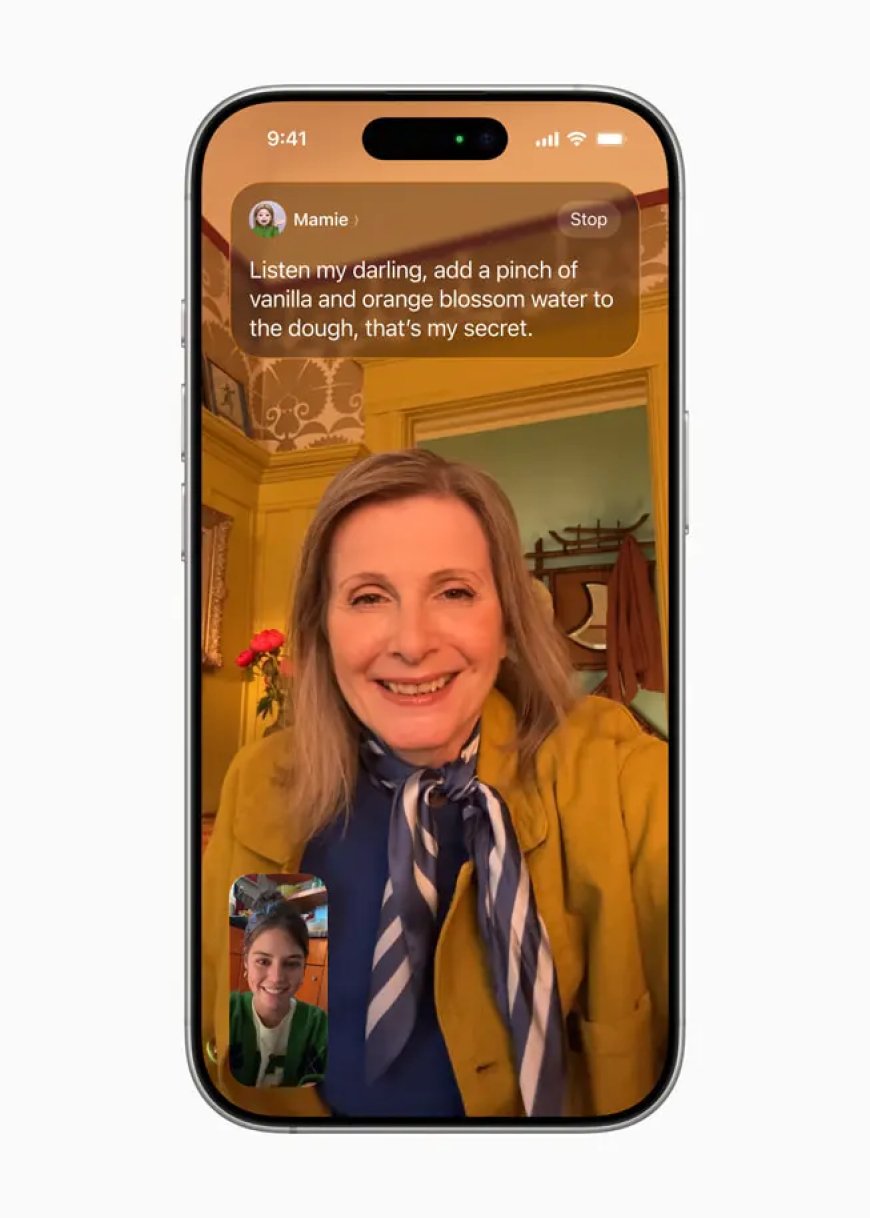
Unlike last year’s grand launch of Apple Intelligence, this year’s operating system is light on AI features, especially given delays in launching and rolling out features. The company is making AI-powered translation easily available in apps like Messages, FaceTime, and Phone. Currently, this feature supports English (UK, US), French (France), German, Portuguese (Brazil), and Spanish (Spain).
iOS 26
Through iOS 26, the company is also launching live translation on AirPods, including the newly launched AirPods Pro 3, AirPods Pro 2, and AirPods 4.
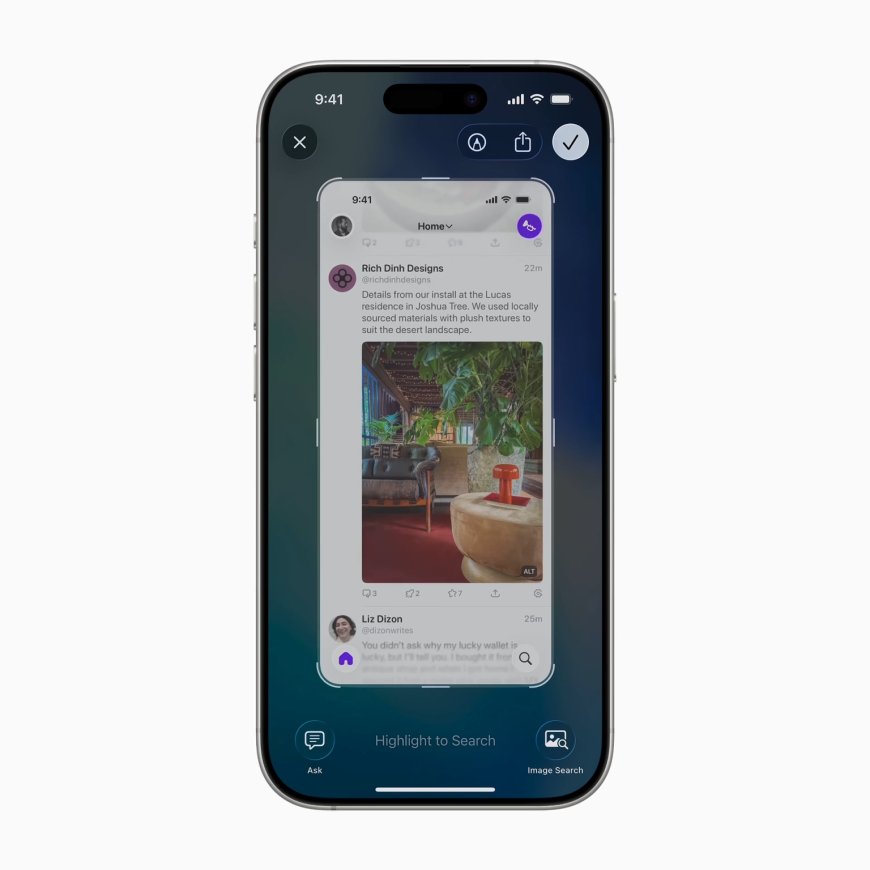
iOS 26 updates visual intelligence to understand the content on the screen. You have to press Power + volume down button to bring up this menu. Apple Intelligence can then suggest events to add to your calendar. You can also ask questions about the content on the screen, using Google Visual Search or ChatGPT. Apple is also releasing its own “Circle to search” called Highlight.
The most confusing part about this update is that the buttons used to bring up on-screen visual intelligence are the same as the screenshot button. Because of this, it takes an extra step to save a screenshot, and I have forgotten to save some important screenshots.
iOS 26 Updates Genmoji, Image Playground, and Adds Multiple New Features
Apple is updating Genmoji with iOS 26 to let you merge two emojis with a text prompt and create something new. You can now add expressions to people in both Genmoji and Image Playground. The update to Image Playground also allows you to modify attributes like hair and facial hair, along with new styles from ChatGPT.
Other Features
- You can now set different snooze times for alarms from 1 minute to 15 minutes.
- The Wallet app update allows you to create a digital ID through a passport to present to TSA at the airport. Additionally, the app features a revamped boarding pass screen with more info about the airport and flight.
- Voice recording on iOS 26 lets you pick the input source, offers voice isolation, and allows you to capture audio and video locally just on your side. This is handy for creators recording podcasts using video calls.
- Apple is making Reminders intelligent by auto-generating grocery items from a recipe on a webpage. It can also surface reminders based on an email, website, or note you are viewing.
- The App Store now has accessibility nutrition labels to indicate features including VoiceOver, Voice Control, Larger Text, Sufficient Contrast, Reduced Motion, and captions.
- Apple has updated parental controls to limit communication from new phone numbers without approval, enable age-appropriate experiences in third-party apps, and enhance the App Store experience.
We have a list of tons of small but useful iOS features here. You can update to iOS 26 by going to Settings > General > Software Update and downloading the latest version.